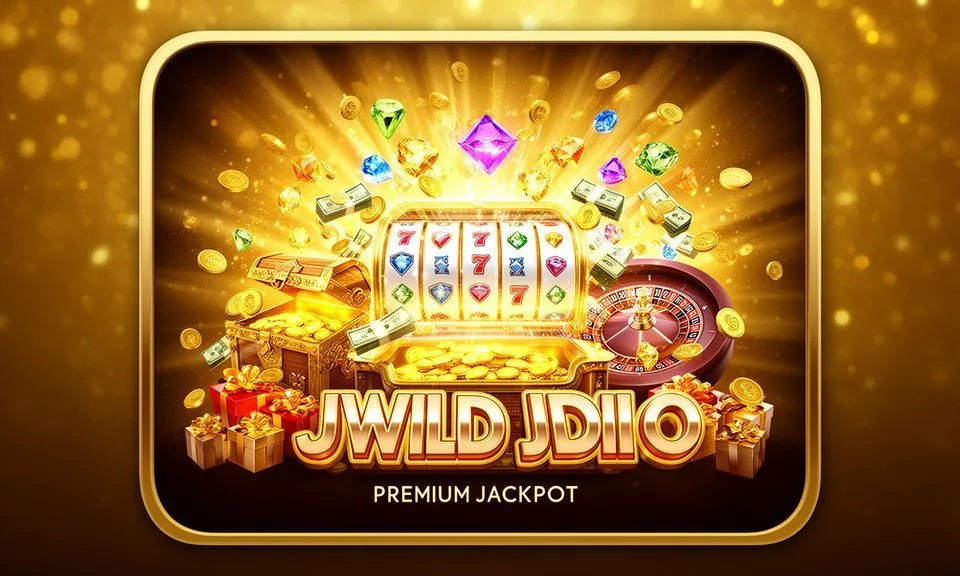
Slot Thunderstrike is a high-voltage reel game sitting in the ez66 slots lobby — built around a storm and lightning theme with bold visual paylines and a betting range designed for both cautious and confident sessions. Find it under Slots in your account once you are logged in.
Slot Thunderstrike runs on a classic reel layout dressed in a storm aesthetic — thunderclouds, lightning bolts and electric symbols that animate when a payline connects. The game sits inside the Slots category on ez66, reachable from the lobby navigation bar.
REEL MECHANICS EXPLAINED
How Slot Thunderstrike Plays Round by Round
Entering the Game
From the ez66 lobby, open the Slots tab and scroll until you see Slot Thunderstrike. Tap the game card to load it directly in your browser. No app install needed.
Bet Controls and Lines
The bet panel at the bottom of the reels lets you set your coin denomination and the number of active paylines independently. Lower the coin size for shorter sessions or raise both values when you want higher-stakes rounds.
Thunderstrike Symbol Logic
Storm-themed symbols — lightning bolts, storm clouds and charged icons — fill the reels. Higher-value symbols typically appear less often than low-value ones. The paytable, accessible through the information icon inside the game, lists every symbol combination and the corresponding award so you can read the structure before committing a stake.
Mobile Feel and Navigation
On a phone browser, Slot Thunderstrike scales to portrait mode without clipping the bet panel or the spin button. Swipe gestures are not required — all controls are tap-based. If you switch from mobile to desktop mid-session, your account balance carries over automatically since the game state is tied to your account, not your device.
TRANSPARENCY AND CONTROLS
Published Game Data for Slot Thunderstrike
RTP Display
We do not publish a standalone RTP figure for Slot Thunderstrike on this page. The return-to-player percentage, if available, is shown inside the game's own information panel. That number comes directly from the game engine and reflects what the engine chooses to expose — check there for the current published value.
Volatility Information
Volatility — how often and how much a slot pays relative to its stake — is a game-engine property. We do not assign a volatility label to Slot Thunderstrike independently. If the game engine publishes this information, it appears in the same in-game rules or paytable panel alongside the symbol payout table.
Supported Devices and Browser Path
Slot Thunderstrike loads in any modern mobile or desktop browser without a plugin. On Android or iOS, open ez66 in your browser, log in and navigate to Slots. The game frame is browser-based, so keeping your browser updated gives you the smoothest experience without requiring any manual game client update.
Where Rules Are Published
The authoritative rules for Slot Thunderstrike — payline logic, symbol hierarchy and any special feature conditions — are published inside the game itself via the information or help icon. Our lobby page reproduces the game title and category only; for binding rules, always refer to the in-game panel or the official terms section in your account.
HELP WHEN YOU NEED IT
Getting Help While Playing Slot Thunderstrike
Live Chat Support
If Slot Thunderstrike does not load or your spin result looks incorrect, open the live chat widget from the bottom corner of any page. Describe the game name and the round in question. Our support team works from the same account logs you see, so having your account ID ready speeds the response.
Account Transaction Record
Every spin result in Slot Thunderstrike is logged in your account transaction history. Go to your account area and open the game history tab to see stake, outcome and timestamp for each round. If a round outcome appears missing, that record is the reference point for any support query about the game session.
In-Game Rules Panel
Before contacting support about how a feature works, try the information icon inside Slot Thunderstrike. It covers payline logic, symbol values and any special round conditions as published by the game engine. Most rule questions are answered there instantly without needing to reach out to the support team.
WHAT YOU CAN VERIFY
Slot Thunderstrike Facts You Can Check
Game Category Placement
Slot Thunderstrike is listed under the Slots category in the ez66 lobby. You can verify this by opening the Slots tab after login. The game card shows the title, a preview image and the load button. No additional category filters needed — it sits in the main Slots rail visible on the lobby screen.
In-Information Accuracy
The paytable and rules inside Slot Thunderstrike are served by the game engine. We do not edit those values on our side.
Account Balance Integrity
Your balance before and after each Slot Thunderstrike spin is recorded in your account ledger. Open the transaction history in your account to review the debit and credit for each round. If the in-game balance and the account ledger differ, the account ledger is the reference and support can cross-check both records.
Navigation Path Published
We publish the category path — Lobby → Slots → Slot Thunderstrike — in the lobby navigation. No hidden menu required. The same path works on mobile browser and desktop, and the game card is reachable without signing in to browse it, though you need to be logged in to start a real-money session.
SLOT TERMS DEFINED
Slot Thunderstrike Terms, Plainly Explained
What does payline mean in Slot Thunderstrike?
A payline is a fixed path across the reels where matching symbols must land for a round to pay out. Slot Thunderstrike displays its active payline count in the bet panel and the full map in the paytable.
What is a wild symbol in a slot game?
A wild symbol substitutes for other standard symbols on the reel to help complete a payline combination. Whether Slot Thunderstrike includes a wild and what it replaces is confirmed in the in-game symbol table.
What does coin denomination mean?
Coin denomination is the value assigned to each betting unit before you spin. Adjusting it in Slot Thunderstrike changes your total stake per round. The current denomination and total bet are shown clearly in the controls panel below the reels.
What is a scatter symbol?
A scatter pays or triggers a feature based on appearing anywhere on the reels, not just on a payline. Check the Slot Thunderstrike paytable to see if the game includes a scatter and what threshold of appearances activates it.
What does RTP stand for in slots?
RTP stands for Return to Player — the theoretical percentage of total wagered money a slot returns over a very large number of spins. It is a long-run statistical measure, not a round-by-round promise. Slot Thunderstrike shows its RTP only if the game engine publishes it in the information panel.
What is a game session history in a slot?
Session history is the record of every spin you completed, showing stake, outcome and timestamp. In ez66, this is stored in your account transaction log and acts as the reference for any post-session query about Slot Thunderstrike round results.
COMMON QUESTIONS ANSWERED
Slot Thunderstrike Questions We Hear Most
Where do I find Slot Thunderstrike in the ez66 lobby?
Log in to your ez66 account, open the main lobby and select the Slots tab from the navigation bar. Scroll through the Slots rail until you see the Slot Thunderstrike game card, then tap it to load the game directly in your browser. No separate search step needed if you browse the Slots section.
Can I play Slot Thunderstrike on my mobile browser?
Yes. Slot Thunderstrike is browser-based and scales to phone screens in portrait mode. Open ez66 in your mobile browser, log in and navigate to Slots. All bet controls and the spin button remain accessible on a small screen without needing to download an app or switch to a different game version.
How do I check the rules for Slot Thunderstrike before I play?
Once the game loads, tap the information or help icon — usually a small 'i' button inside the game frame. This opens the paytable showing symbol values, payline maps and any special feature conditions. Reading this before your first spin is the best way to understand the game's structure before placing a stake.
What happens if Slot Thunderstrike disconnects mid-spin?
If your browser disconnects during a spin, the round result is already determined server-side at the moment you hit spin. When you reconnect and reload the game, the outcome will appear and your account balance will reflect it. Check your transaction history if the result is not immediately visible after reconnecting.
Does Slot Thunderstrike have a feature round or bonus round?
Whether the game includes a feature round depends on what the game engine has configured. Open the in-information panel to see if a bonus trigger or special round is part of Slot Thunderstrike's current build. We display the game as the engine serves it — the panel is the authoritative source for feature details.
How do I fund my account to play Slot Thunderstrike?
Go to the deposit section inside your ez66 account. From there you can see the configured payment routes — Nagad, Rocket and Upay are among the local wallet options set up for Bangladesh. Follow the fields and limits shown on that screen. Availability depends on your local law and eligible region at the time of deposit.
 Sports / Mobile